Unitree G1
From text-prompted detection to single-arm grasping and placement
Task setup
Predefined grasping scene
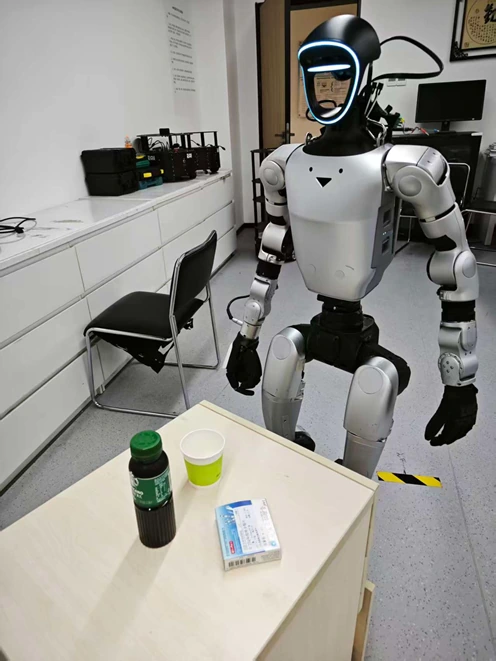
The minimal setup includes three preset target objects: a bottle, a medicine box, and a paper cup. The robot first moves to a fixed task location, then executes a single-arm grasping task.
The current prototype uses object detection with predefined grasp motions on a Unitree G1-EDU equipped with an Inspire Robots dexterous hand.
End effector
Inspire RH56E2 dexterous hand
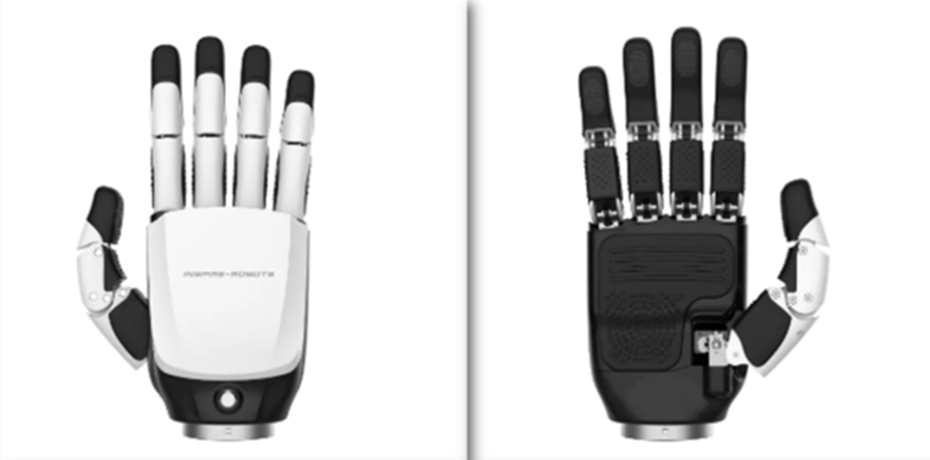
Five-finger end effector
The G1 prototype uses an RH56E2 five-finger dexterous hand from Inspire Robots. It serves as the end effector for the predefined grasping task.
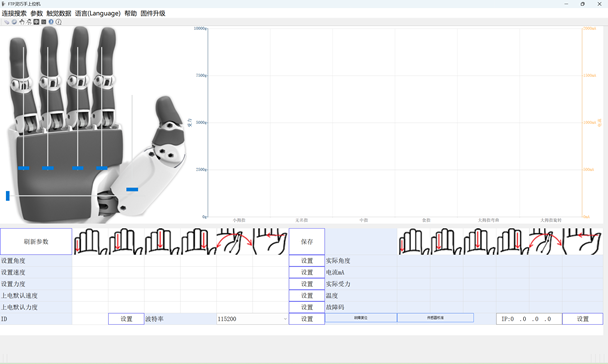
Desktop control software
The desktop application provides a direct interface for configuring finger motion and inspecting the hand’s feedback during testing.
Finger motion in action
This short hardware test shows the fingers moving from an open hand toward a closed grasp configuration.
Text-prompted detection
Find the target with text
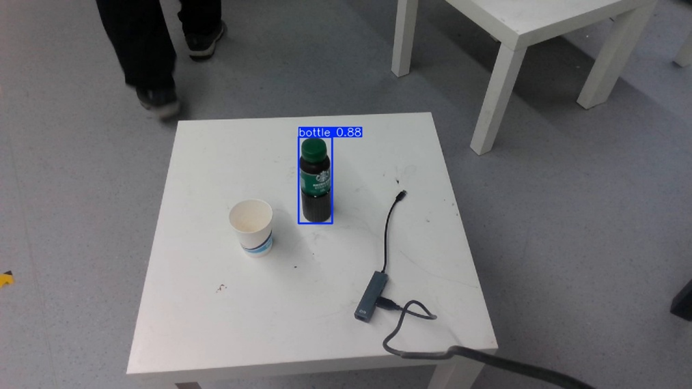
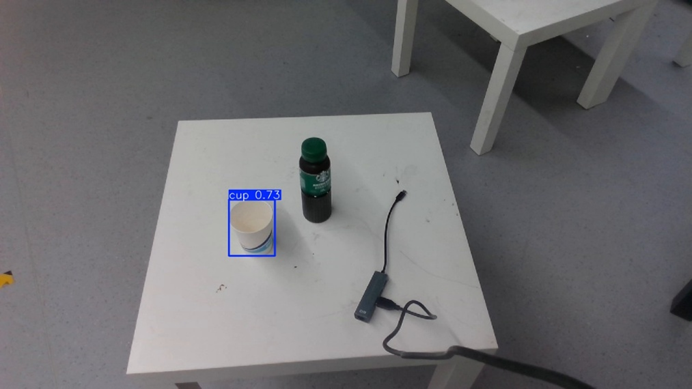
The robot’s head-mounted camera captures the RGB scene. Given an object name such as bottle or cup, YOLO-World locates the requested object and returns a 2D bounding box.
The center of this box provides the image-space location used for depth sampling and 3D target construction.
RGB-D sampling
Sample depth near the box center
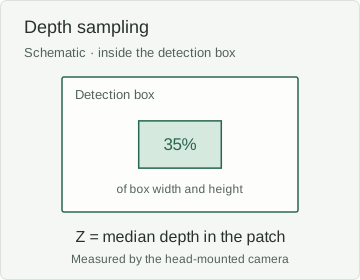
Depth is measured by the robot’s head camera. Rather than relying on one center pixel, the system takes the median depth of a small central patch inside the detection box. This reduces sensitivity to isolated noisy depth values.
The patch width and height are each set to 35% of the detection box dimensions. When RGB and depth resolutions differ, the implementation scales the pixel coordinates and patch dimensions to the depth-map resolution before sampling.
Depth sampling details
The implementation uses separate horizontal and vertical scale factors. The patch is centered at the mapped box center; inner_fraction = 0.35 controls its width and height.
Coordinate conversion
Turn a pixel into a grasp target
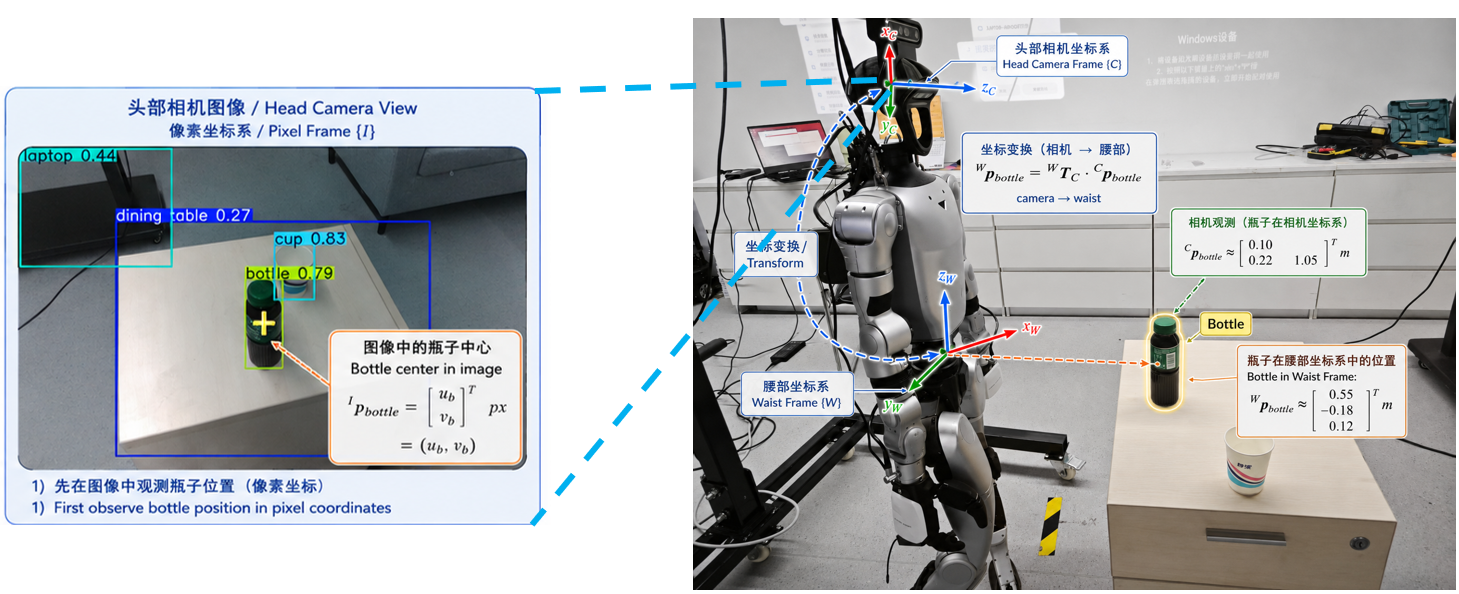
The detected 2D location, sampled depth, and camera intrinsics recover a 3D point in the camera frame.
Arm control needs this point in the robot’s coordinate frame. A camera-to-torso extrinsic transform combines rotation and translation to express the same physical point in G1’s torso_link (waist) frame.
Applying the palm offset then produces the right-arm target position used by the predefined grasp motion.
Engineering iteration
Resolving thumb–index interference
During grasp closure, the thumb could catch against the index finger and prevent the hand from fully closing. Adjusting the closing angles alone did not reliably resolve the interference.
Before · finger interference
After · revised timing
Use a staged closing sequence
- Finish the thumb’s rotation.
- Close the other four fingers.
- Wait 0.20 s, then bend the thumb.
A separate thumb-closing delay parameter makes the final step’s timing adjustable. Both videos are shown at their original speed.
Force feedback
Stop on contact, then grasp
A small detection error can make a fixed approach continue past the object’s surface, pushing it across or off the table. Contact feedback lets the hand stop the approach and begin grasping when contact is detected.

How the contact trigger works
- Set a baseline. Record force and motor-current readings before approaching.
- Monitor the changes. Poll the hand over Modbus and compare live readings with the baseline.
- Enable the trigger late. Allow contact-triggered stopping only in the latter half of the approach to reduce early false triggers.
- Stop, then grasp. When the feedback change exceeds the contact threshold, stop the approach and execute the grasping sequence.
Box placement
Locate the box and place the bottle
After grasping the bottle, the robot lifts its arm and places the bottle into a cardboard box. The destination is located from the head camera’s RGB and depth observations.
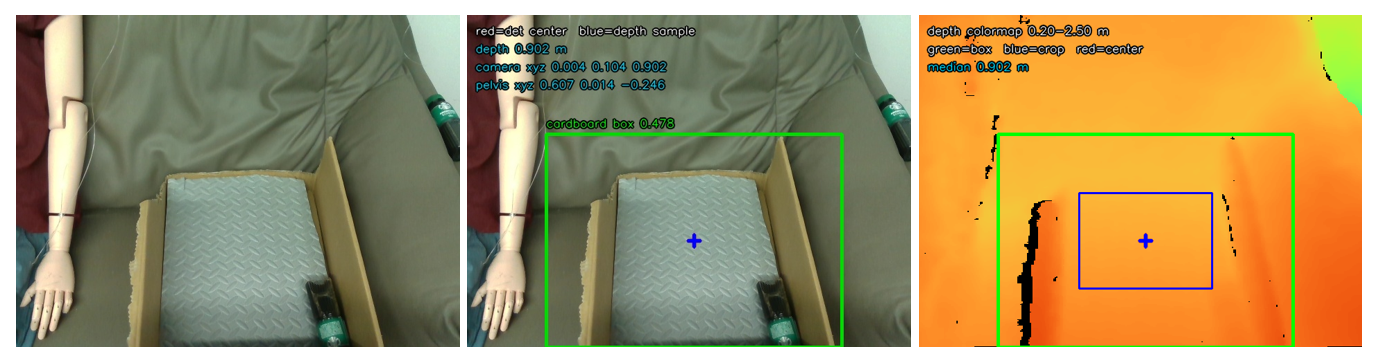
Locate the box
- Capture the scene. Read an RGB frame from the robot’s head-mounted RealSense camera.
- Find the box. YOLO-World detects
cardboard box, returning its bounding box and center pixel. - Add depth. Use the detected region for depth sampling and 3D localization of the box.
Time optimization
Less waiting, faster placement
Repeated model loading and extra motion delays slowed down the placement routine. Keeping detection running and adjusting the motion sequence reduced the reported full-routine time by about 47%.
- Vision loading + detection
- 10 s → 2 s
- Load the model once and reuse it.
- Full placement routine
- 46.68 s → 24.70 s
- 21.98 s saved in the reported repeat test.
Before Load the model on every placement run
- Start placement
- Capture RGB-D
- Load model
- Detect box
- Compute placement target
After Keep a separate detection service running
Image in · detection result out
- Start placement
- Capture RGB-D
- Request detection
- Compute placement target
Trim motion overhead
- Shorten motion segments and remove extra pauses at waypoints.
- Raise the return-motion speed limit from 0.35 to 0.45 rad/s.
- After reset, run the status announcement and control release in parallel.
Keep the existing checks
Retain the obstacle-avoidance waypoints and the waits required for finger motion. Inverse-kinematics and reachability checks remain in place; the return still follows the transition points.
View the timing records and stage breakdown
The repeat-test slide reports a total of 24.70 s; the optimization log lists 24.60 s. The individual stage values below also sum to 24.60 s. Both source records are retained here; the headline uses the reported repeat-test total.
| Configuration | Time (s) | Reduction |
|---|---|---|
| Initial routine | 46.68 | — |
| Persistent detector + initial speedup | 32.53 | 30.3% |
| Remove pauses + faster return | 24.60 | 47.3% |
| Stage | Time (s) |
|---|---|
| Startup + planning initialization | 3.06 |
| Box detection | 0.95 |
| Lift arm | 3.90 |
| Move to pre-placement + release points | 5.01 |
| Open hand + protective closure | 3.39 |
| Withdraw + return to transition point | 4.01 |
| Lower arm + reset | 3.05 |
| Release control + exit | 1.23 |
| Reported repeat-test total | 24.70 |